JupyterLite WebMCP
Winning OpenAI WebMCP Challenge entry: a JupyterLab extension giving a browser agent 22 tools over your live notebook, kernel, selection and review threads.
Your notebook is already in the browser. Now your agent can be too.
A working notebook mostly lives in a browser tab, not on disk: the cell you just typed and haven't saved, the eleven characters you highlighted because they look wrong, the kernel holding your DataFrame in memory. Getting an AI to help with it has usually meant one of two bad deals. You can paste a dead snapshot into a chat window and re-key whatever comes back, or you can bolt on a server-side MCP integration that reads the .ipynb bytes off disk, which is a file that no longer matches your screen. On a JupyterLite site there's no server to talk to at all.
JupyterLite WebMCP takes the other route. It's a frontend-only JupyterLab and JupyterLite extension that hands the notebook you already have open to a browser agent through WebMCP (document.modelContext.registerTool). It registers 22 tools for reading, navigating, editing, running and reviewing, and it brings no server, no API key, no chat UI and no model of its own. The agent sees the same unsaved edits, the same selection, the same kernel and the same outputs you do.
It was built for the OpenAI WebMCP Challenge (August 25 – September 3, 2026) and was selected as one of the challenge's 10 winning projects.
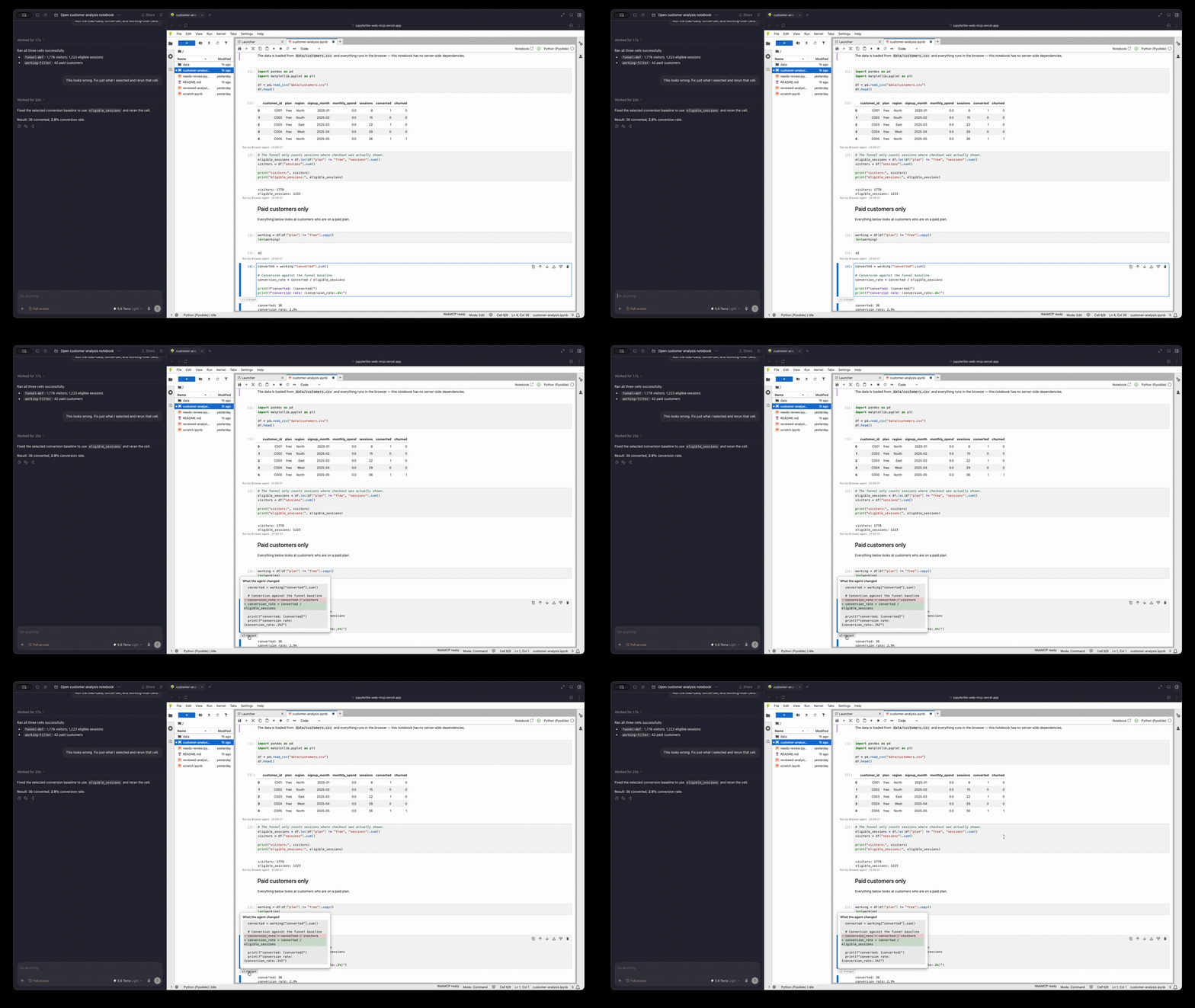
After a direct edit, the agent's change is marked on the cell. Clicking "±2 changed" opens a line diff of exactly what it replaced.
A second editor, not a chat window
One question shaped every feature: could this still make sense if the second participant were a human instead of an agent? A human collaborator wouldn't be handed a private copy, wouldn't silently overwrite your unsaved work, and wouldn't run code you can't see. Most of the design falls out of holding the agent to the same rules.
- The human always wins a conflict. Every write has to present the
sourceHashfrom an earlier read. If you've changed the cell since then, the write is refused withSTALE_CELLand never merged. - No hidden execution. There's no "execute this string" tool and no kernel introspection. To compute something new, the agent inserts a visible cell and runs it in your notebook, on your kernel.
- Access is yours to set. Each cell and each notebook can be
write,readornone, and only the human can change that. A hidden cell looked up by id is indistinguishable from one that doesn't exist. The README is plain that this is a guardrail for the agent's tools, not a sandbox. - Review happens in the document. Comments can anchor to a cell, a range of source or an output, and the agent can read, reply to, resolve and reopen the same threads. They're stored in the
.ipynbmetadata, so the conversation travels with the file instead of dying with a chat log. - Presence that doesn't overclaim. A page can't tell whether an agent is present, so the status bar never says one is. It reads
WebMCP readywhen idle and only mentions an agent while a call is actually in flight, such asAgent · running cell 5. Cells the agent touches get a ring, a state badge and "Run by Browser agent" provenance under their output.
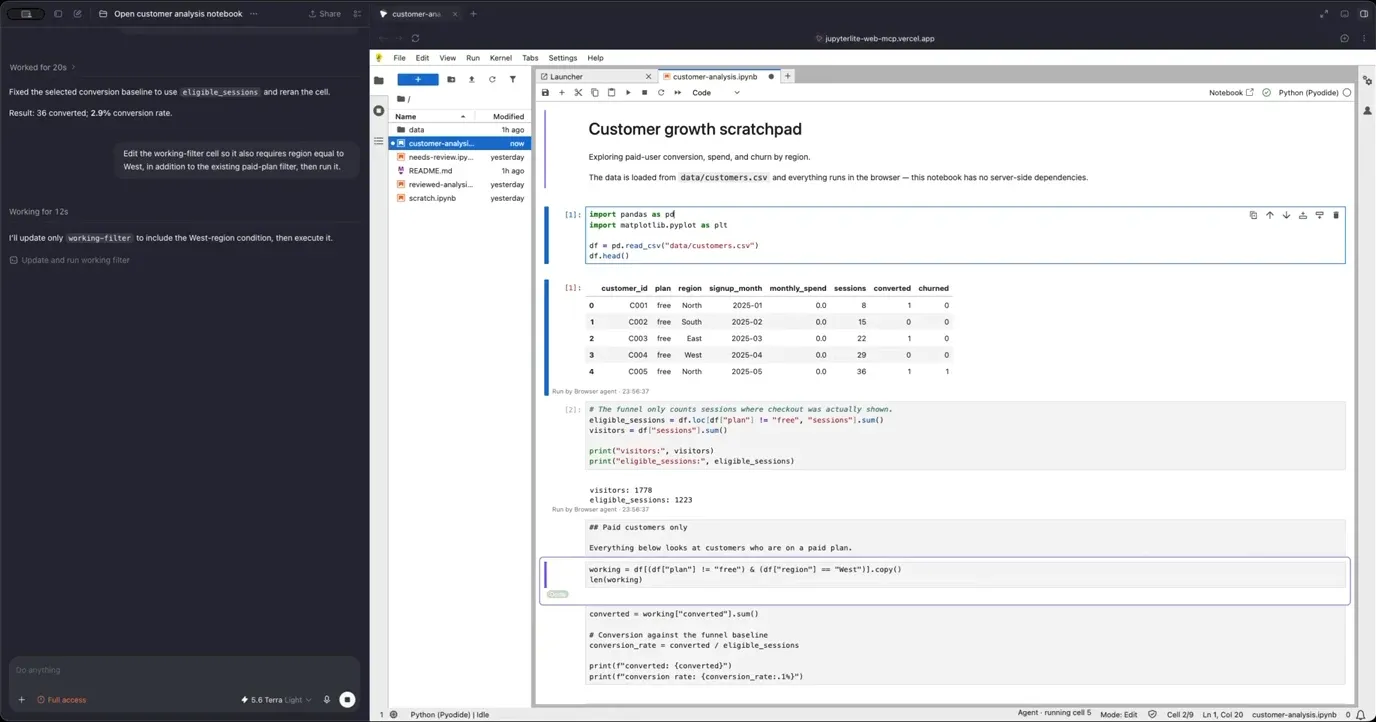
Demoed in ChatGPT's in-app browser: while the agent works, the targeted cell is ringed and the status bar says what it's doing.
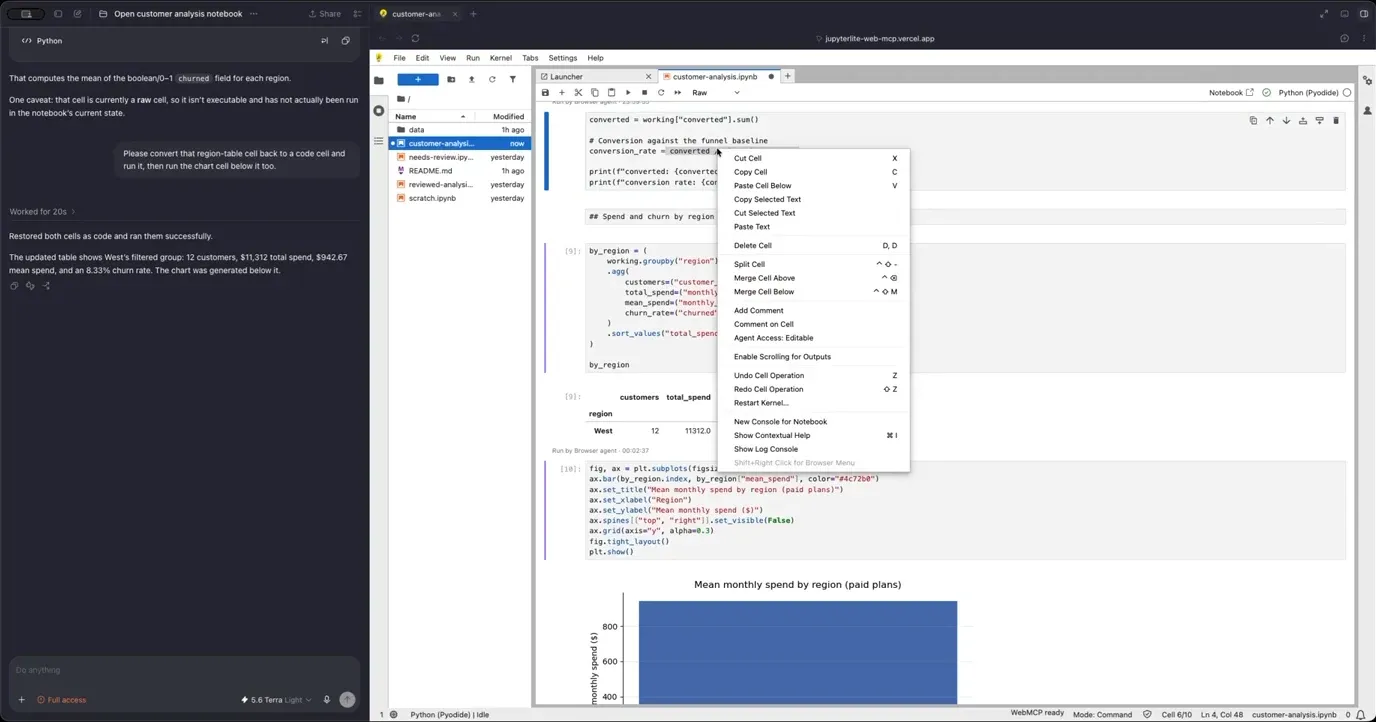
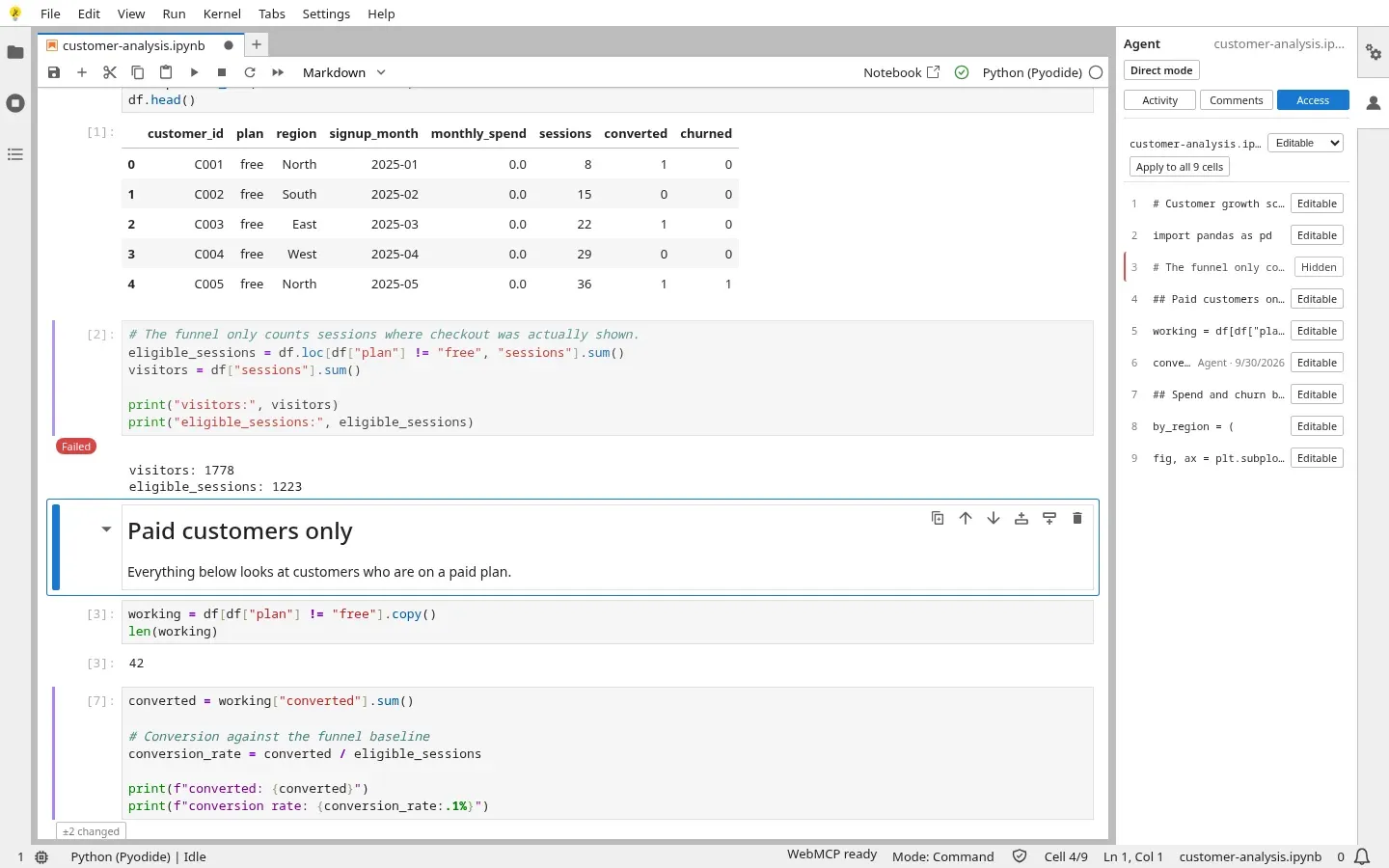
Access is set from the cell menu or the Agent panel's Access tab. With the funnel-definition cell hidden, the agent's read of it comes back CELL_NOT_FOUND.
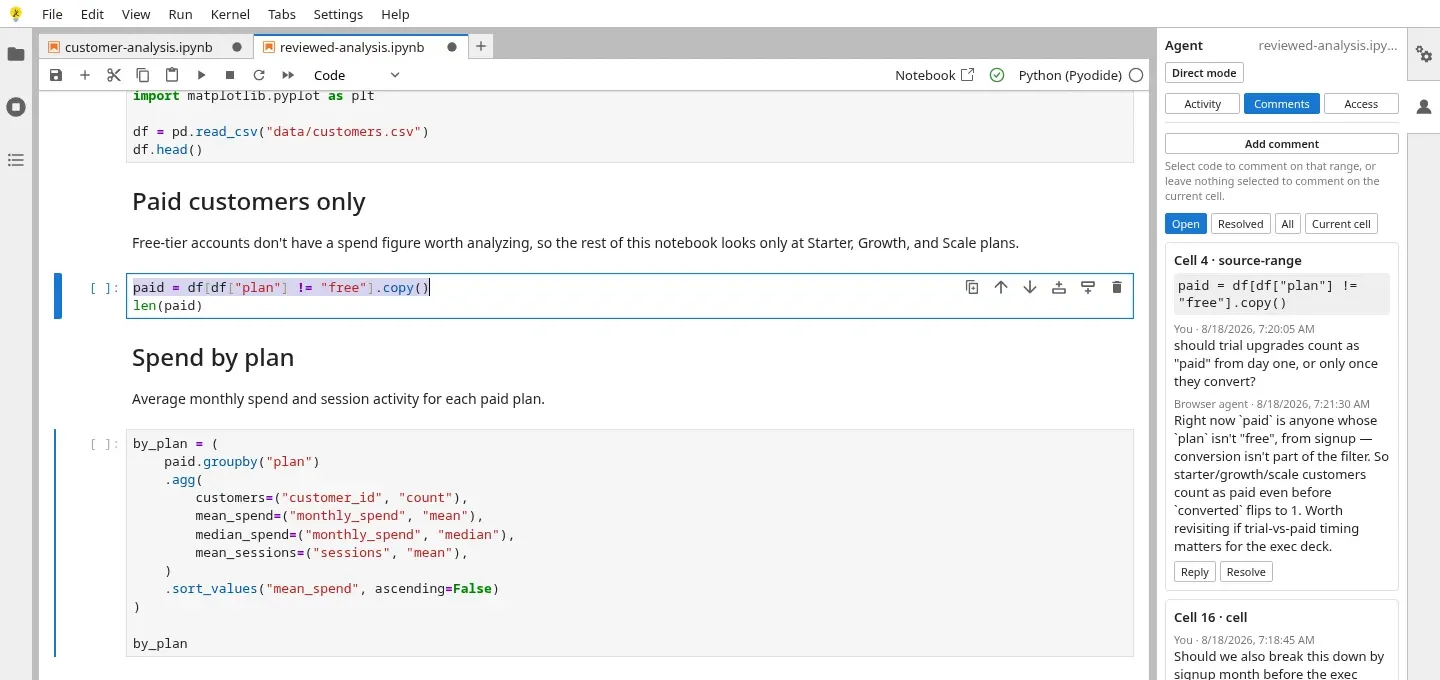
A review thread anchored to a range of source, on one of the demo's seeded notebooks. The human and the agent reply in the same thread.
Propose mode: review before it sticks
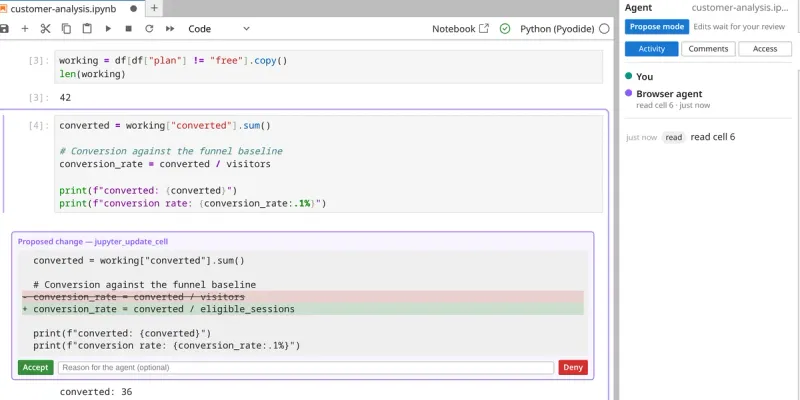
By default an edit applies immediately, guarded by the source hash. Flip the Agent panel to Propose mode and jupyter_update_cell stops applying on call. It stages the change as an inline diff under the cell, with Accept and Deny, and the tool call genuinely doesn't resolve until you decide. Accept goes through the same code path as a direct edit, so there's exactly one place a cell's source is ever written. Deny comes back to the agent as a normal result coded PROPOSAL_DENIED, carrying the reason you typed, so its next turn knows why instead of just retrying. Propose mode currently covers jupyter_update_cell; inserts, deletes and runs still apply directly.
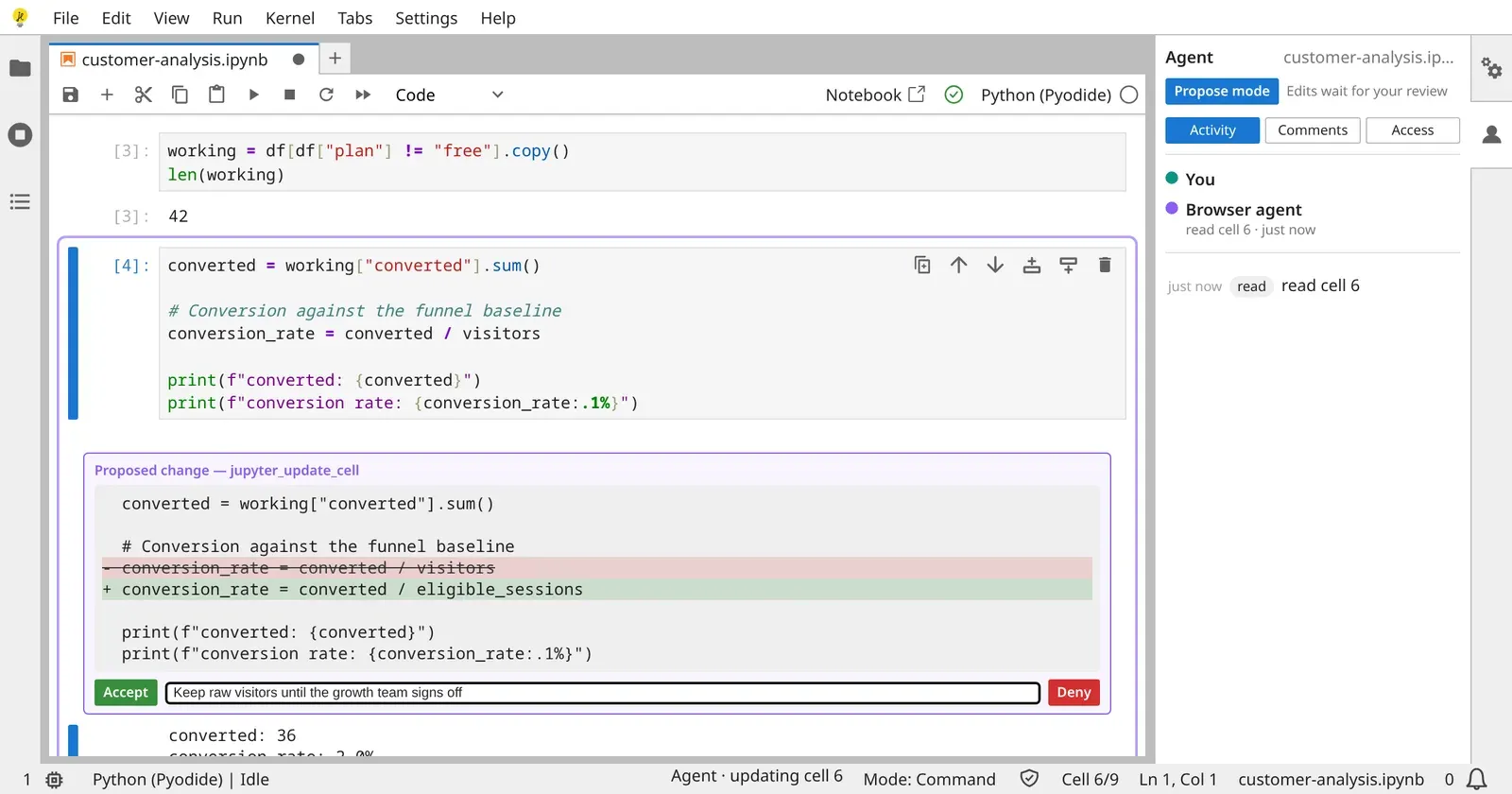
A pending proposal with a reason typed in. Denying it resolves the agent's call as PROPOSAL_DENIED, reason included.
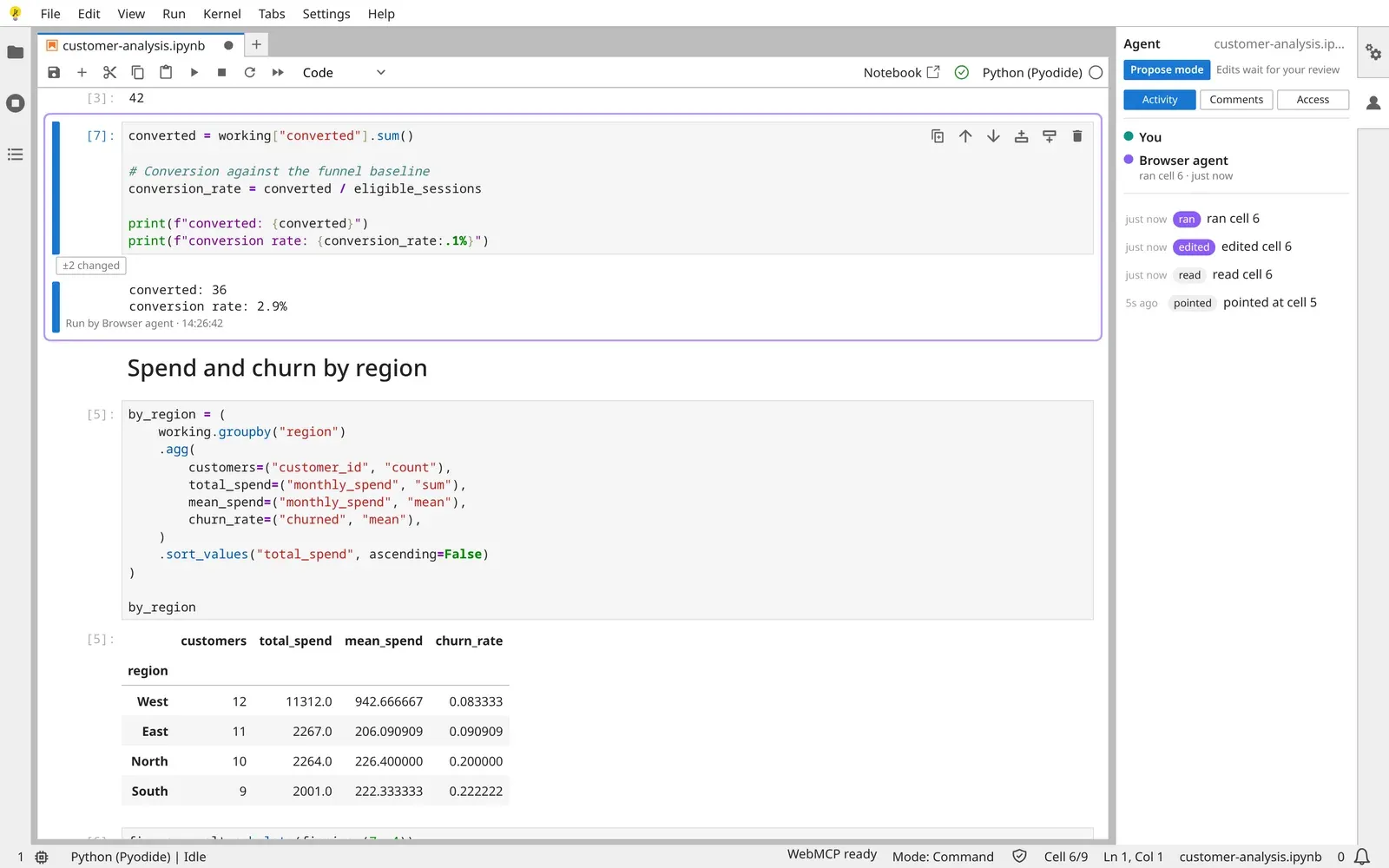
Accepted and run: the output says who produced it, and "±2 changed" keeps the diff one click away.
Where it runs
The same package installs into JupyterLite, a JupyterLab 4.6 server and a Notebook 7 server with no code changes. The live demo is JupyterLite, where everything, including the Pyodide kernel, runs in the browser tab. CI runs 52 Playwright browser tests against that JupyterLite build (plus 300+ unit tests), and the JupyterLab and Notebook 7 installs were checked by hand with a full open, read, update and run round trip. Turn WebMCP off and the notebook, the Agent panel, comments and access controls all keep working; the extension only adds a tool surface.
It's on PyPI:
pip install jupyterlite-webmcp
Try it
Open the live demo and wait for the status bar (bottom right) to read WebMCP ready. As of September 2026, WebMCP hasn't shipped in any stable browser. It was demoed in ChatGPT's in-app browser, and in Chrome you can turn it on with Experimental Web Platform features at chrome://flags. Without it, the demo still works as a plain notebook.
The demo video on YouTube walks through it end to end, and the Devpost entry has the challenge write-up.
Built by Allison Coleman, with contributions from Juan Mendoza. MIT licensed.