Modern Portfolio Website
A full-stack portfolio website built with Nuxt.js, featuring dual developer/tattoo artist sections, Nuxt Content CMS, and modern UI components.
Modern Portfolio Website
A sophisticated, dual-purpose portfolio website showcasing both my developer and tattoo artist work. Built with modern technologies and focusing on performance, accessibility, and user experience.
Project Overview
This portfolio serves a unique dual purpose - presenting both my software development work and tattoo artistry. The challenge was creating a cohesive experience that could seamlessly transition between these two distinct professional personas.
Key Features
- Dual Navigation System: Seamless switching between developer and tattoo artist portfolios
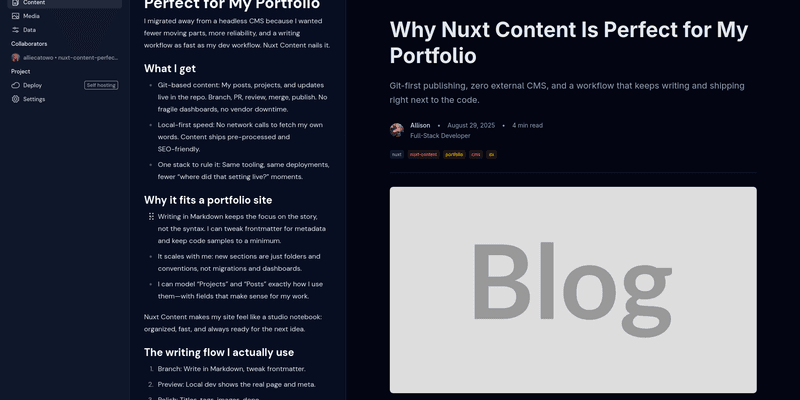
- Content Management: Powered by Nuxt Content for easy blog and portfolio management
- Modern UI: Built with Nuxt UI components for consistent, accessible design
- Performance Optimized: Fast loading times with optimized images and static generation
- Responsive Design: Flawless experience across desktop, tablet, and mobile devices
- SEO Optimized: Proper meta tags, structured data, and semantic HTML
Technical Implementation
Architecture
Frontend (Nuxt.js)
├── Pages & Components (Vue.js + TypeScript)
├── Content Management (Nuxt Content)
├── Styling (Tailwind CSS + Nuxt UI)
├── State Management (Pinia for auth)
└── API Routes (Nitro server)
Key Technologies
Frontend Framework: Nuxt.js 4.0 with Vue 3 Composition API
- Server-side rendering (SSR) for optimal SEO
- Static generation for blog and portfolio pages
- TypeScript for type safety and developer experience
Content Management: Nuxt Content
- Git-based workflow for content updates
- Markdown files with frontmatter metadata
- Full-text search capabilities
- Automatic route generation
Styling: Tailwind CSS + Nuxt UI
- Utility-first CSS framework
- Pre-built accessible components
- Dark mode support
- Custom component theming
Performance: Image optimization and caching
- Nuxt Image for responsive images
- ISR (Incremental Static Regeneration)
- Route-level caching strategies
Development Process
1. Planning & Design
- Created wireframes for both developer and tattoo artist sections
- Defined content structure and taxonomy
- Planned navigation and user flow
- Designed component library
2. Content Architecture
content/
├── blog/
│   ├── dev/           # Developer blog posts
│   └── tattoo/        # Tattoo artist blog posts
├── projects/          # Development projects
├── gallery/           # Tattoo gallery items
└── testimonials/      # Client testimonials
3. Component Development
- Built reusable UI components
- Implemented responsive navigation
- Created portfolio grid layouts
- Developed blog post templates
4. Content Integration
- Set up Nuxt Content configuration
- Created server API routes for content
- Implemented search functionality
- Added content filtering and pagination
Challenges & Solutions
Challenge 1: Dual-Purpose Design
Problem: Creating a cohesive experience for two different professional identities Solution:
- Unified design system with contextual theming
- Shared components with configurable styling
- Dynamic navigation based on current section
Challenge 2: Content Management
Problem: Managing diverse content types (code projects, tattoo gallery, blog posts) Solution:
- Structured frontmatter schemas
- Content validation and type checking
- Automated content processing and optimization
Challenge 3: Performance with Images
Problem: Tattoo portfolio requires high-quality images that could impact performance Solution:
- Implemented Nuxt Image with responsive breakpoints
- Used WebP format with fallbacks
- Lazy loading for gallery images
- Optimized bundle size with code splitting
Challenge 4: SEO for Dual Content
Problem: Optimizing for both developer and tattoo artist search terms Solution:
- Dynamic meta tags based on content type
- Structured data markup
- Separate sitemaps for each section
- Content-specific URL structures
Code Highlights
Dynamic Site Configuration
// utils/site-config.ts
export const useSiteConfig = () => {
  const config = useState('site-config', () => ({
    type: 'dual' as 'dev' | 'tattoo' | 'dual',
    title: "Allison's Portfolio",
    description: 'Software developer and tattoo artist',
    baseRoute: '/',
  }))

  return config
}
Content Query Composable
// composables/useContent.ts
export const useContent = () => {
  const queryPosts = async (type: 'dev' | 'tattoo', limit = 10) => {
    return await queryContent('blog', type)
      .where({ published: true })
      .sort({ date: -1 })
      .limit(limit)
      .find()
  }

  const queryProjects = async (featured = false) => {
    let query = queryContent('projects')

    if (featured) {
      query = query.where({ featured: true })
    }

    return await query.sort({ date: -1 }).find()
  }

  return {
    queryPosts,
    queryProjects,
  }
}
Responsive Navigation Component
<template>
  <nav class="dual-nav">
    <NuxtLink
      v-for="section in sections"
      :key="section.key"
      :to="section.route"
      :class="getSectionClass(section.key)"
    >
      {{ section.title }}
    </NuxtLink>
  </nav>
</template>

<script setup lang="ts">
  interface NavSection {
    key: 'dev' | 'tattoo'
    title: string
    route: string
  }

  const sections: NavSection[] = [
    { key: 'dev', title: 'Developer', route: '/dev' },
    { key: 'tattoo', title: 'Tattoo Artist', route: '/tattoo' },
  ]

  const route = useRoute()
  const currentSection = computed(() => {
    return route.path.startsWith('/dev')
      ? 'dev'
      : route.path.startsWith('/tattoo')
        ? 'tattoo'
        : 'dual'
  })

  const getSectionClass = (section: string) => {
    return currentSection.value === section ? 'active' : 'inactive'
  }
</script>
Performance Results
Metrics
- Lighthouse Score: 98/100 (Performance)
- First Contentful Paint: < 1.2s
- Largest Contentful Paint: < 2.1s
- Cumulative Layout Shift: < 0.1
- Bundle Size: 142KB (gzipped)
Optimizations Implemented
- Route-based code splitting
- Image optimization and lazy loading
- CSS purging and minification
- Server-side rendering with static generation
- Efficient caching strategies
Deployment & Hosting
Infrastructure
- Hosting: Vercel (with plans to migrate to Firebase)
- Domain: Custom domain with SSL
- CDN: Global edge network for fast delivery
- CI/CD: Automated deployment on git push
Build Process
# Build configuration
name: Deploy Portfolio
on:
  push:
    branches: [main]
steps:
  - uses: actions/checkout@v3
  - name: Setup Node
    uses: actions/setup-node@v3
    with:
      node-version: '18'
  - name: Install dependencies
    run: pnpm install
  - name: Build application
    run: pnpm build
  - name: Deploy to Vercel
    uses: vercel/action@v1
Future Enhancements
Planned Features
- Contact Form: Integration with email service
- Analytics: Visitor tracking and insights
- Search: Full-text search across all content
- Comments: Blog post discussion system
- Admin Panel: Enhanced content management UI
Technical Improvements
- Migration from Vercel to Firebase
- Implementation of PWA features
- Advanced SEO optimizations
- Performance monitoring dashboard
- Automated testing suite
Lessons Learned
Technical Insights
- Nuxt Content provides excellent DX for content-driven sites
- TypeScript significantly improves code maintainability
- Component-based architecture scales well for complex UIs
- Performance optimization requires constant attention
Design Insights
- Dual-purpose sites require careful information architecture
- Consistent design systems reduce development time
- User testing revealed unexpected navigation patterns
- Mobile-first design prevents responsive issues
Project Impact
Professional Benefits
- Showcases full-stack development capabilities
- Demonstrates modern web development practices
- Provides platform for thought leadership through blogging
- Serves as a reference implementation for client projects
Technical Contributions
- Created reusable component patterns
- Developed content management workflows
- Established performance optimization strategies
- Built responsive design systems
Conclusion
This portfolio project represents a comprehensive demonstration of modern web development practices. From initial planning through deployment and optimization, every aspect was crafted with attention to performance, accessibility, and user experience.
The dual-purpose nature created unique challenges that pushed me to develop creative solutions for content architecture, navigation design, and performance optimization. The result is a fast, accessible, and maintainable website that effectively showcases both sides of my professional work.
The project serves not just as a portfolio, but as a living example of the technologies and practices I advocate for in professional development work.
Technologies Used: Nuxt.js, Vue.js, TypeScript, Tailwind CSS, Nuxt UI, Nuxt Content, Vercel
View Project: Live Site | GitHub Repository