Keyboard Layout Visualizer
A Raycast extension that reads QMK/Vial and ZMK keymaps straight off the board over USB and draws every layer as SVG, with reverse key search.
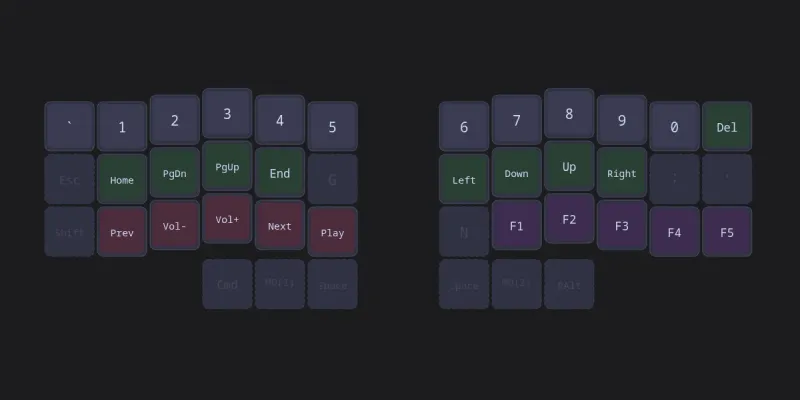
Which layer was the arrow keys on again?
Split keyboards with five layers are great right up until you forget where something lives. This Raycast extension answers that from the launcher: it shows the active board's keymap, one layer at a time or all stacked, and it can search backwards from a key name to every board and layer it appears on.
Reading the board, not a file
The headline feature is that you don't have to export anything. Plug in the keyboard, run Add Board, and it reads the keymap over USB:
- Vial (QMK) boards over raw HID, using the Vial protocol, including fetching and decompressing the board's LZMA-compressed layout definition.
- ZMK boards over serial with ZMK Studio's protobuf RPC.
Raycast extensions can't load native Node modules, so the USB work lives in two small helper scripts (node-hid and serialport) that the extension runs as separate processes and talks to over JSON. If a board isn't plugged in, it can import a QMK keymap.json, a ZMK .keymap devicetree file, or one found in a public GitHub repo.
Drawing it
Keymaps are rendered to SVG by the extension's own renderer: keycaps with a slight 3D bevel, colours by key category, split boards detected and optionally shown one half at a time, and "ghost" keys, where a transparent key on a higher layer shows the key it inherits at half opacity. Labels come from vendored keycode tables (Vial's for QMK, ZMK's own dt-bindings for ZMK, without translating one into the other), so mod-taps like LT(2, KC_SPC) read as "Spc" and "L2". There are six themes, and per-key RGB effects can be simulated on the drawing.
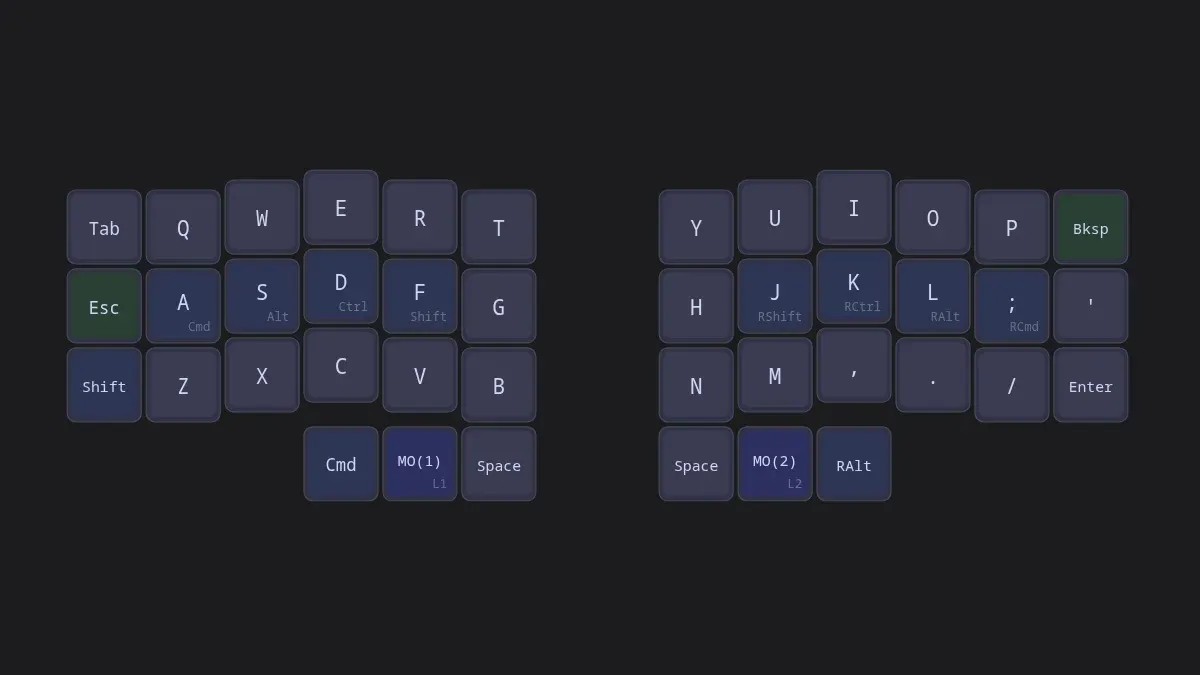
The extension's own renderer, run in Node outside Raycast on a keymap I wrote for the occasion: a Corne-style 3x6 split with home-row mod-taps. Mod-taps show the tap key with the modifier underneath, and layer keys show their target layer.
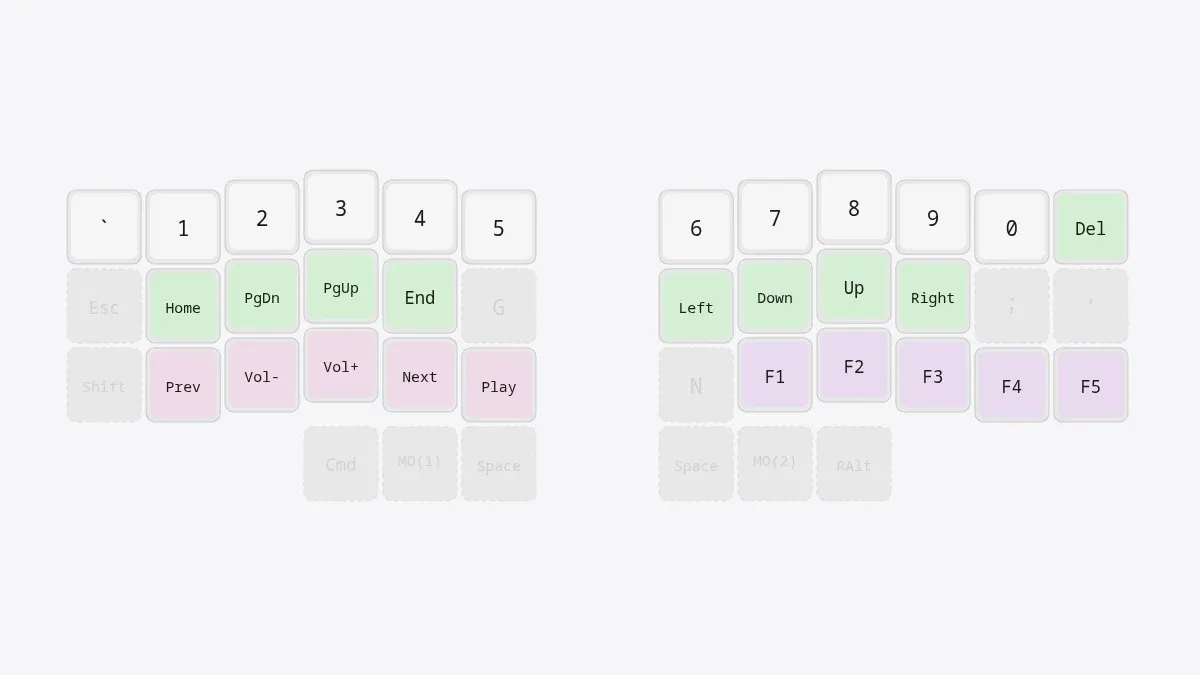
The same renderer's light theme on the navigation layer. Transparent keys fall through to the base layer and are drawn at low opacity; the rest are coloured by category. This is the SVG the extension shows inside Raycast, not a screenshot of Raycast itself.
Beyond viewing, there are nine commands in all, including a hotkey-friendly quick layer peek, a menu-bar layer indicator that polls the board, a keypress tester that tracks coverage, and a Board Settings screen that reads and writes QMK settings, RGB lighting and layer names over USB.
Status
Allison built it in one evening in March 2026 (45 commits), and it's tagged 1.0.0 with lint and build CI green. It is not on the Raycast Store, so for now it runs from source in Raycast's developer mode on macOS, with a separate npm install for the USB helpers. The source is on GitHub; there's no license yet.